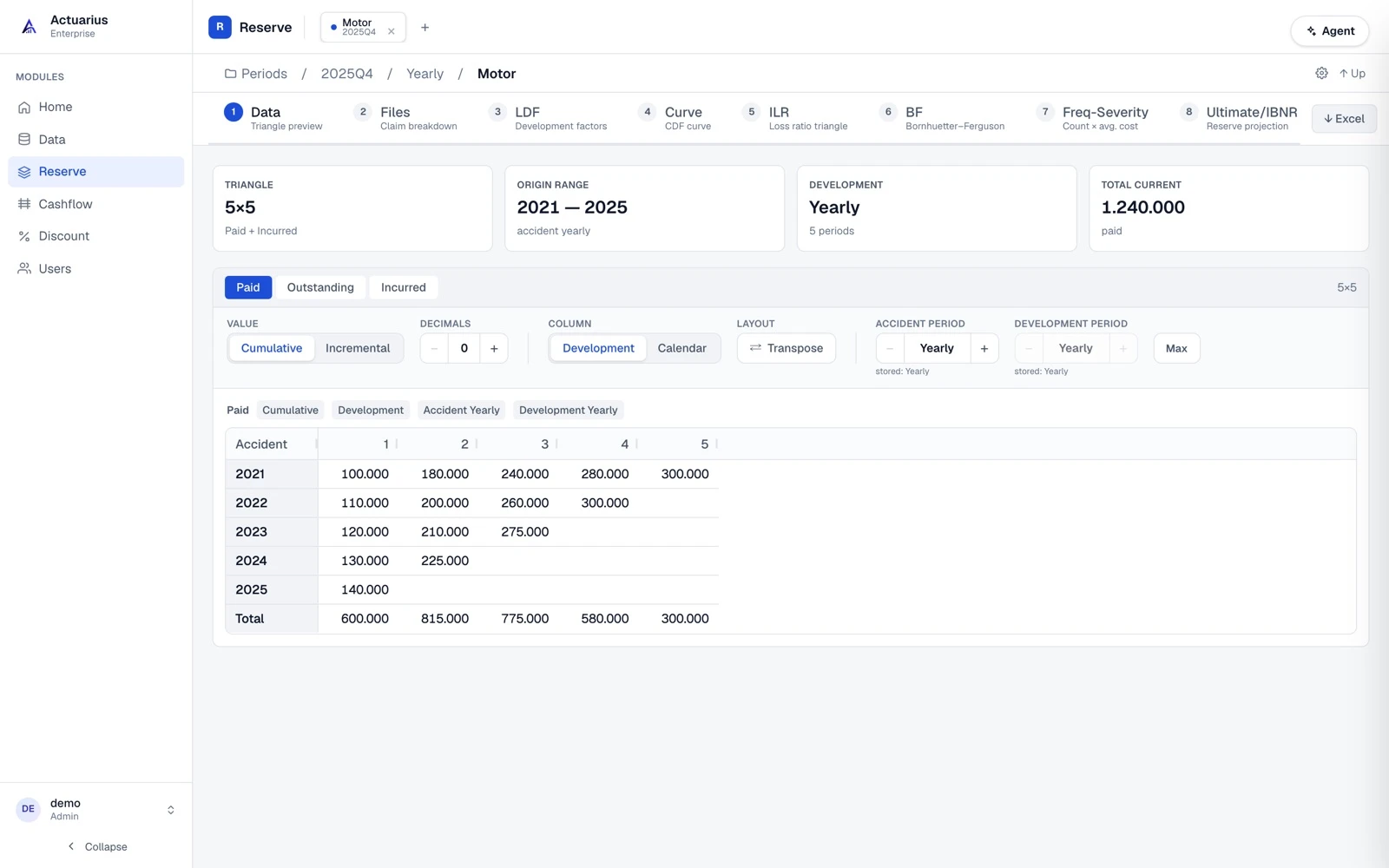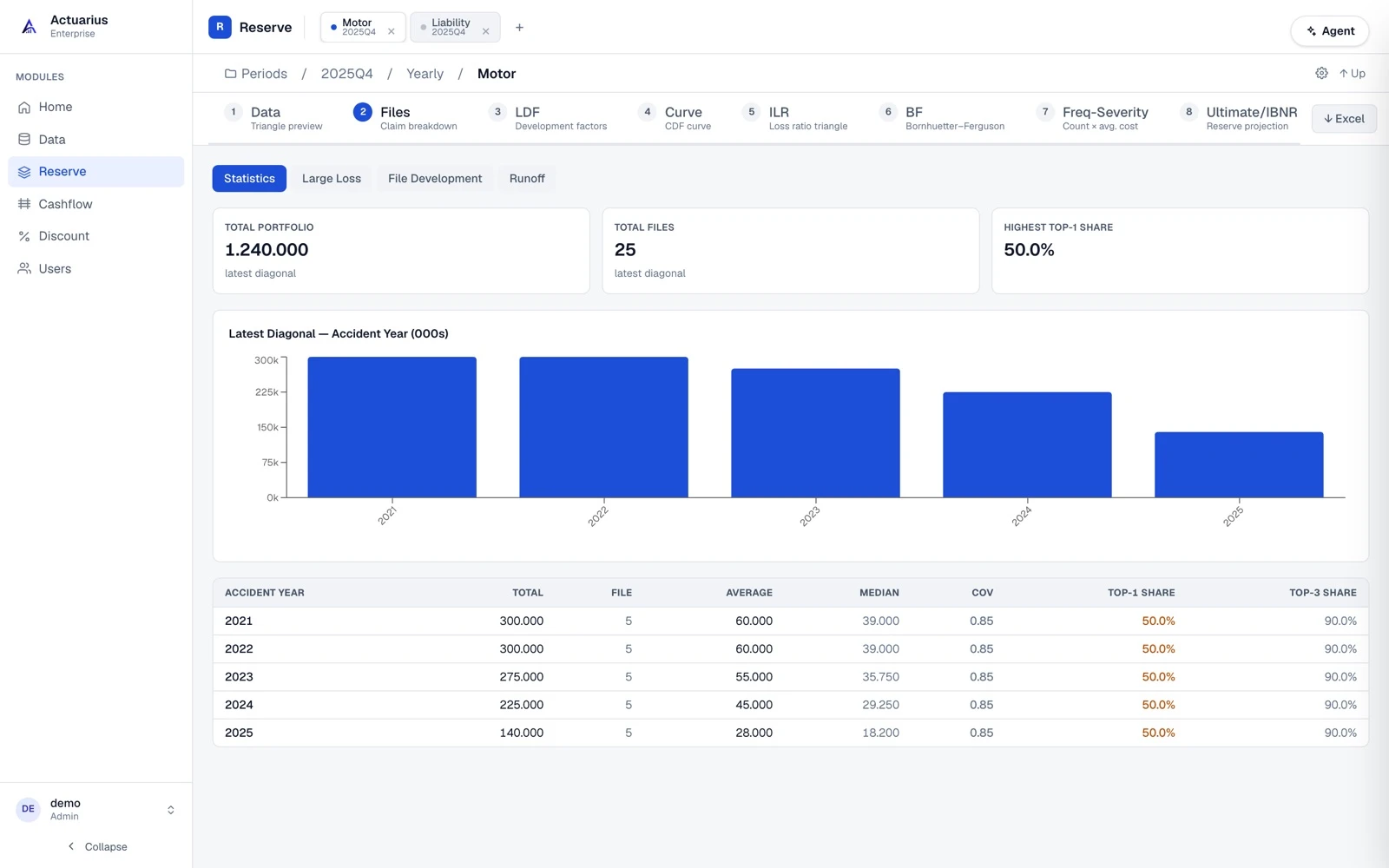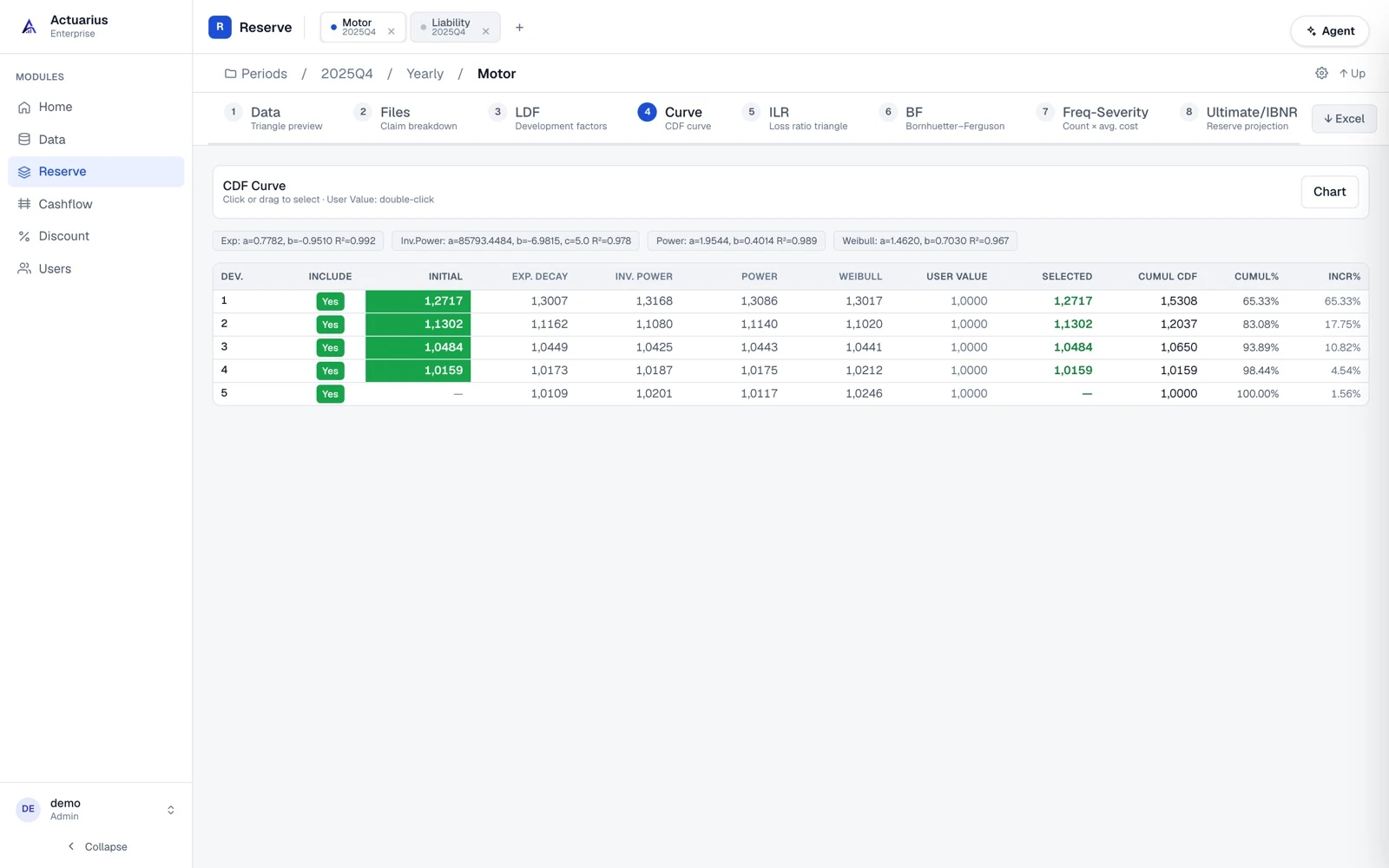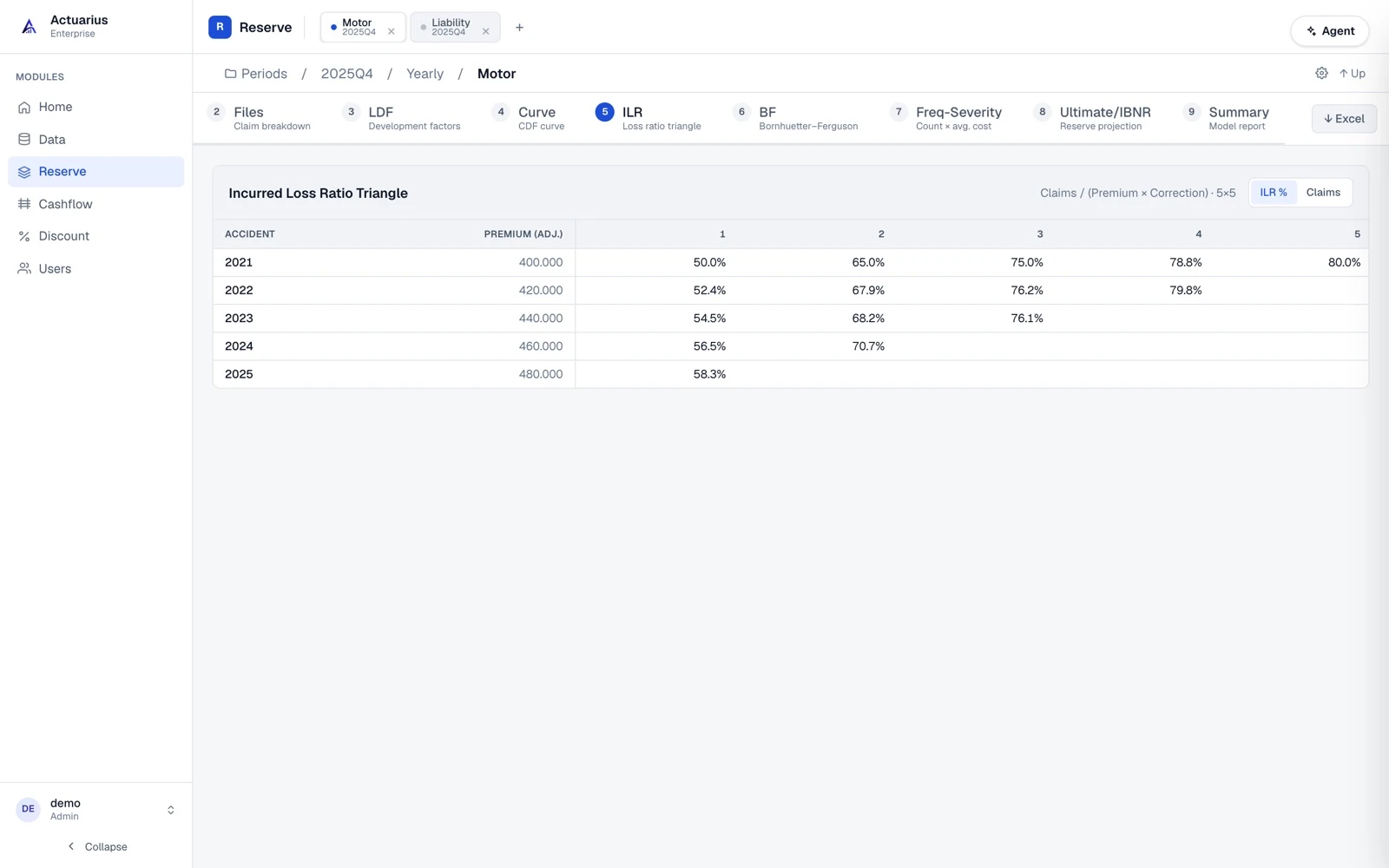
Data
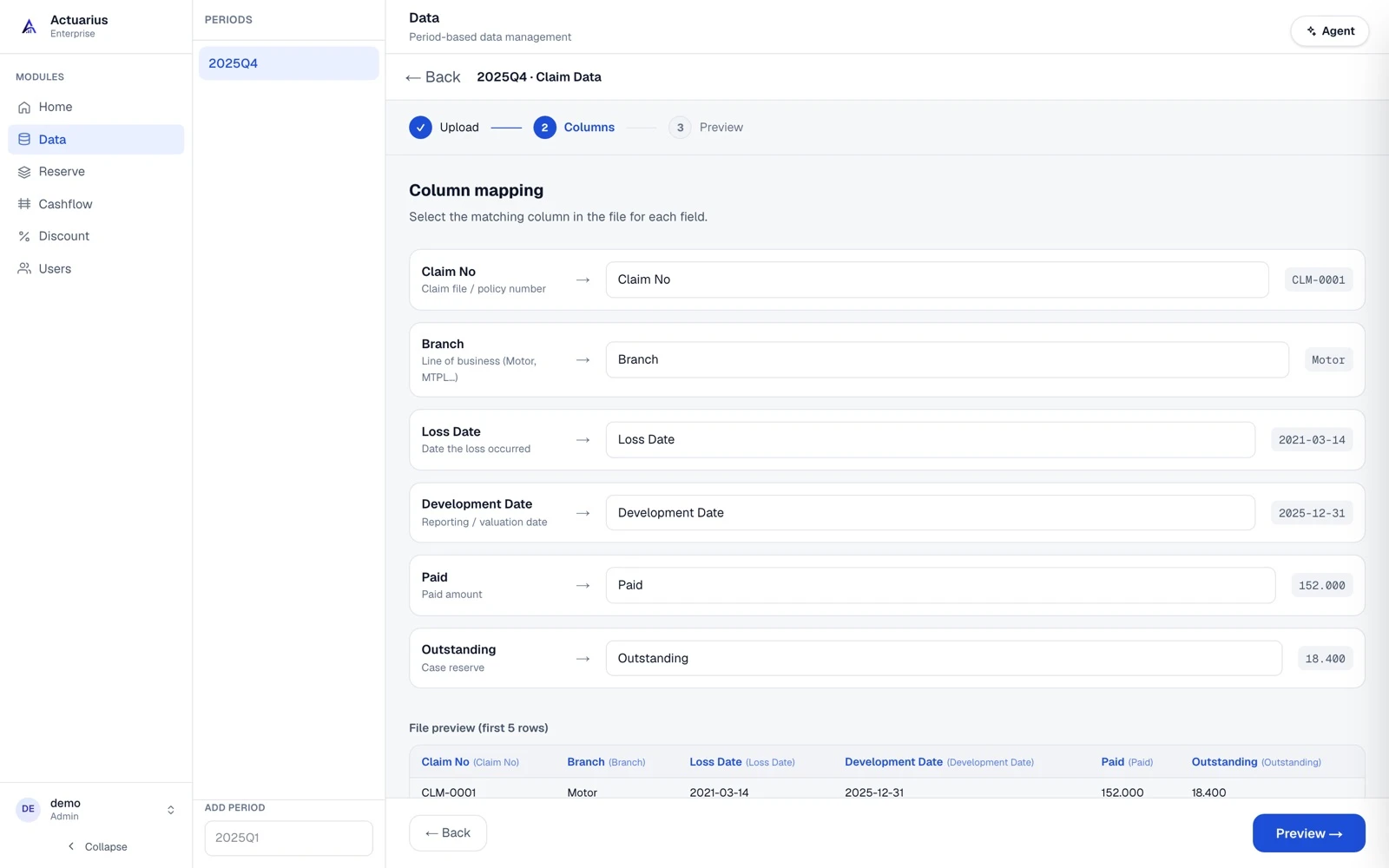
ConnectedClaim, premium and large-loss data by valuation period. Straight from an Oracle table or via Excel/CSV.
 Actuarius
End-to-end actuarial analysis platform
Data management, reserve modelling, cash flow and IFRS 17 discounting in a single system. An AI agent works across all of them — it closes the period, builds the model, produces the report and records the reasoning behind every decision.
No credit card required · Start with Excel, CSV or Oracle
Modules
They run on the same period, the same line of business and the same set of assumptions; a change in one is reflected in the others.
Claim, premium and large-loss data by valuation period. Straight from an Oracle table or via Excel/CSV.
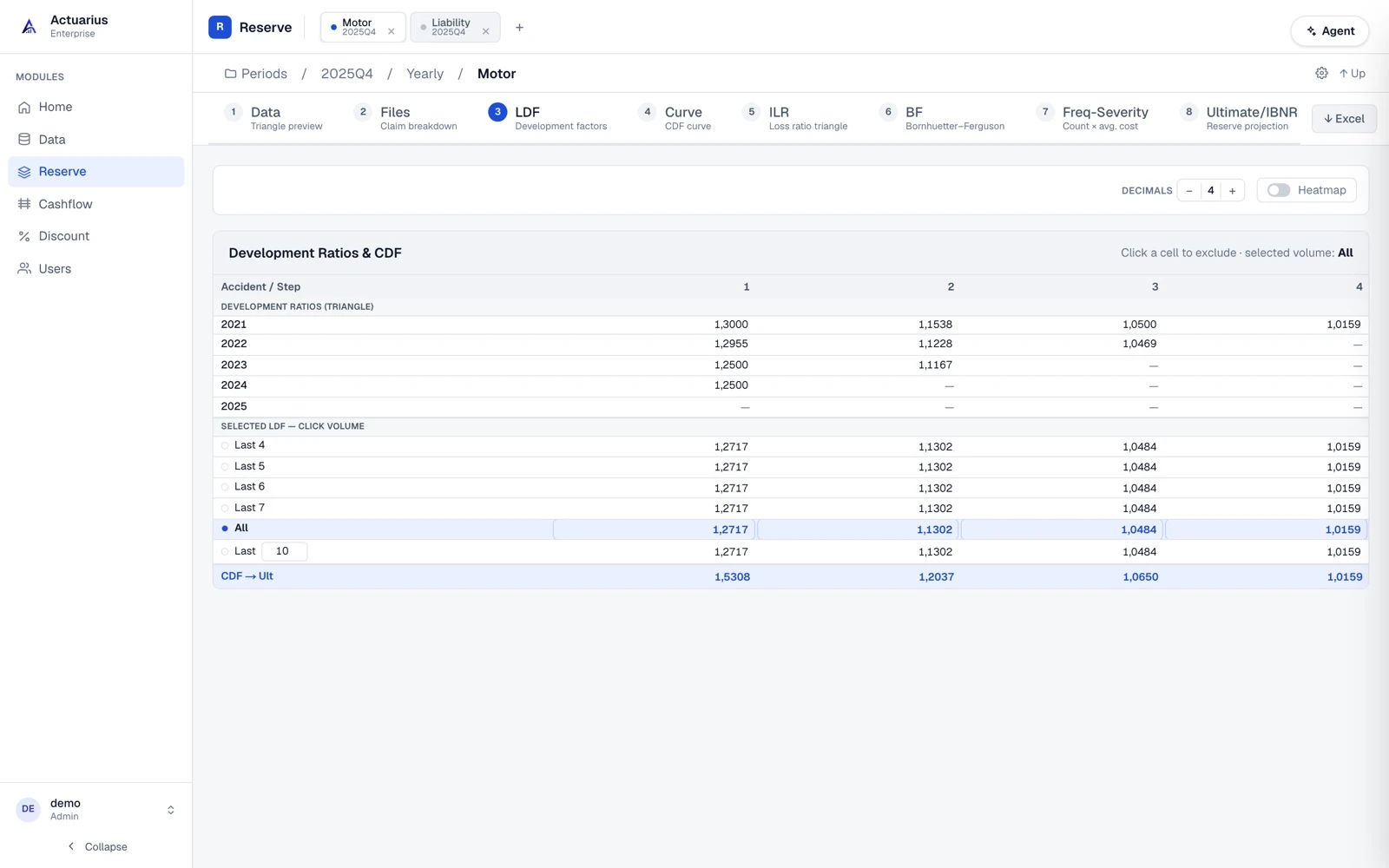
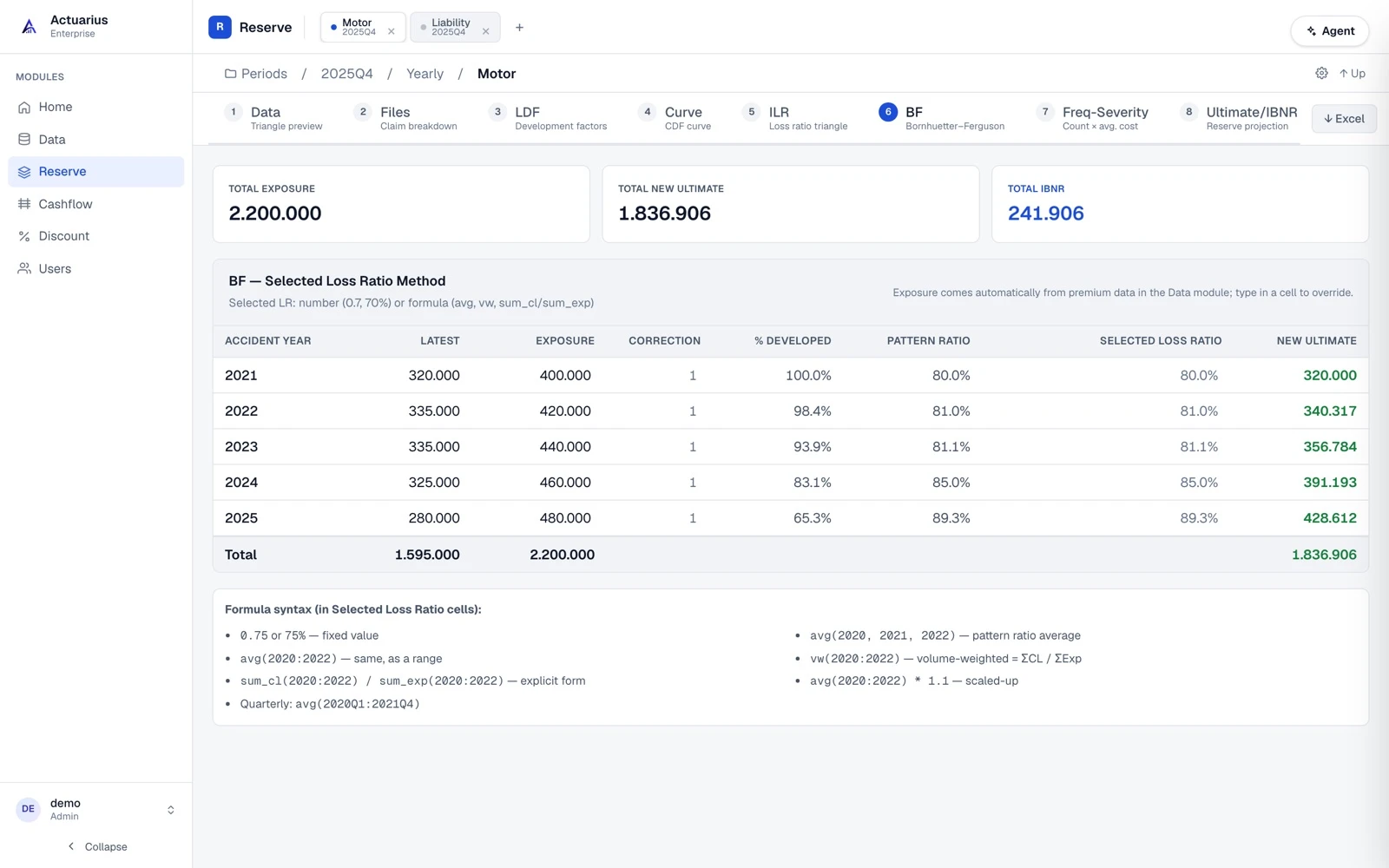
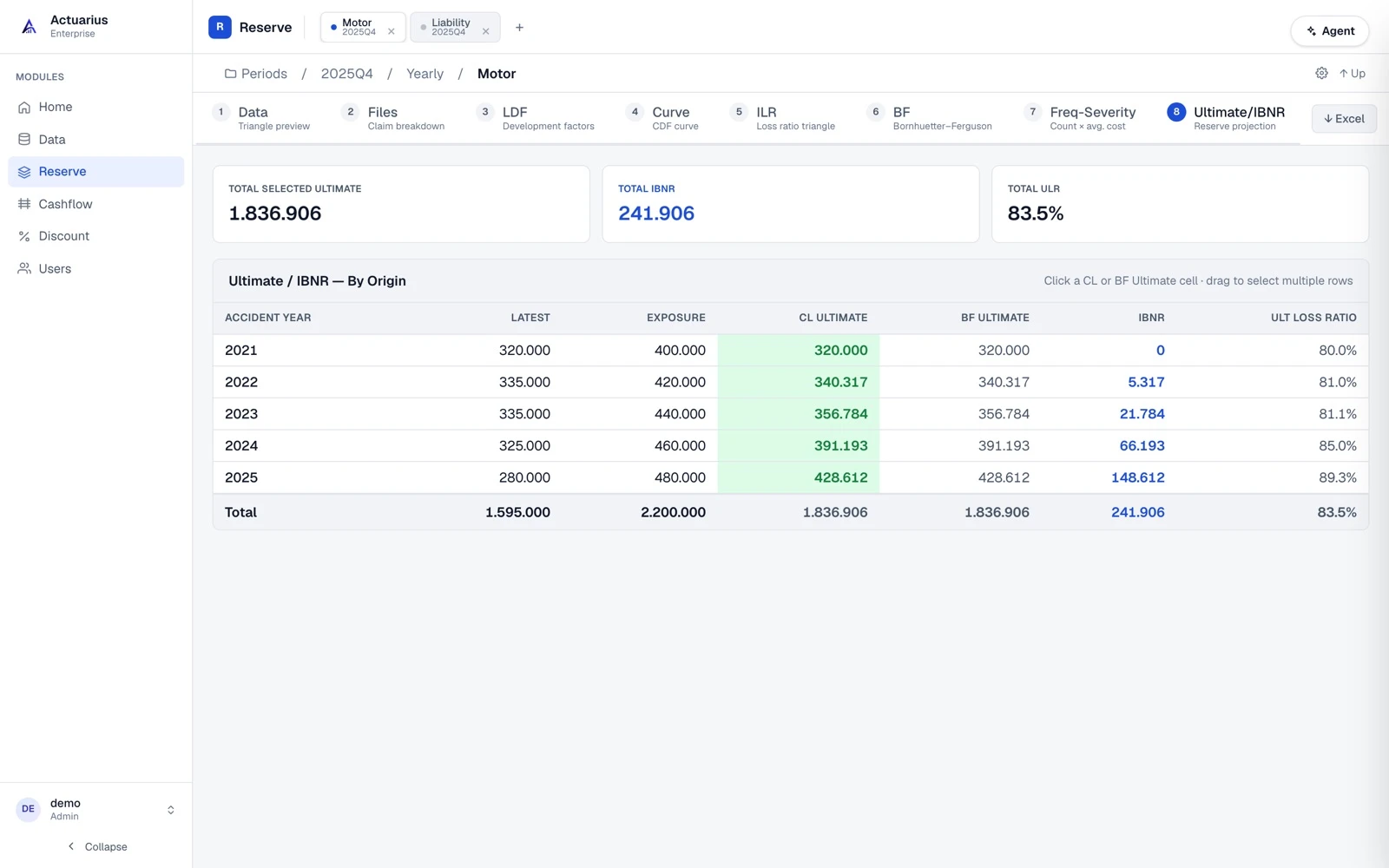
Chain-Ladder and Bornhuetter–Ferguson; development factors, tail fitting, large-loss split, frequency-severity, scenario versions.
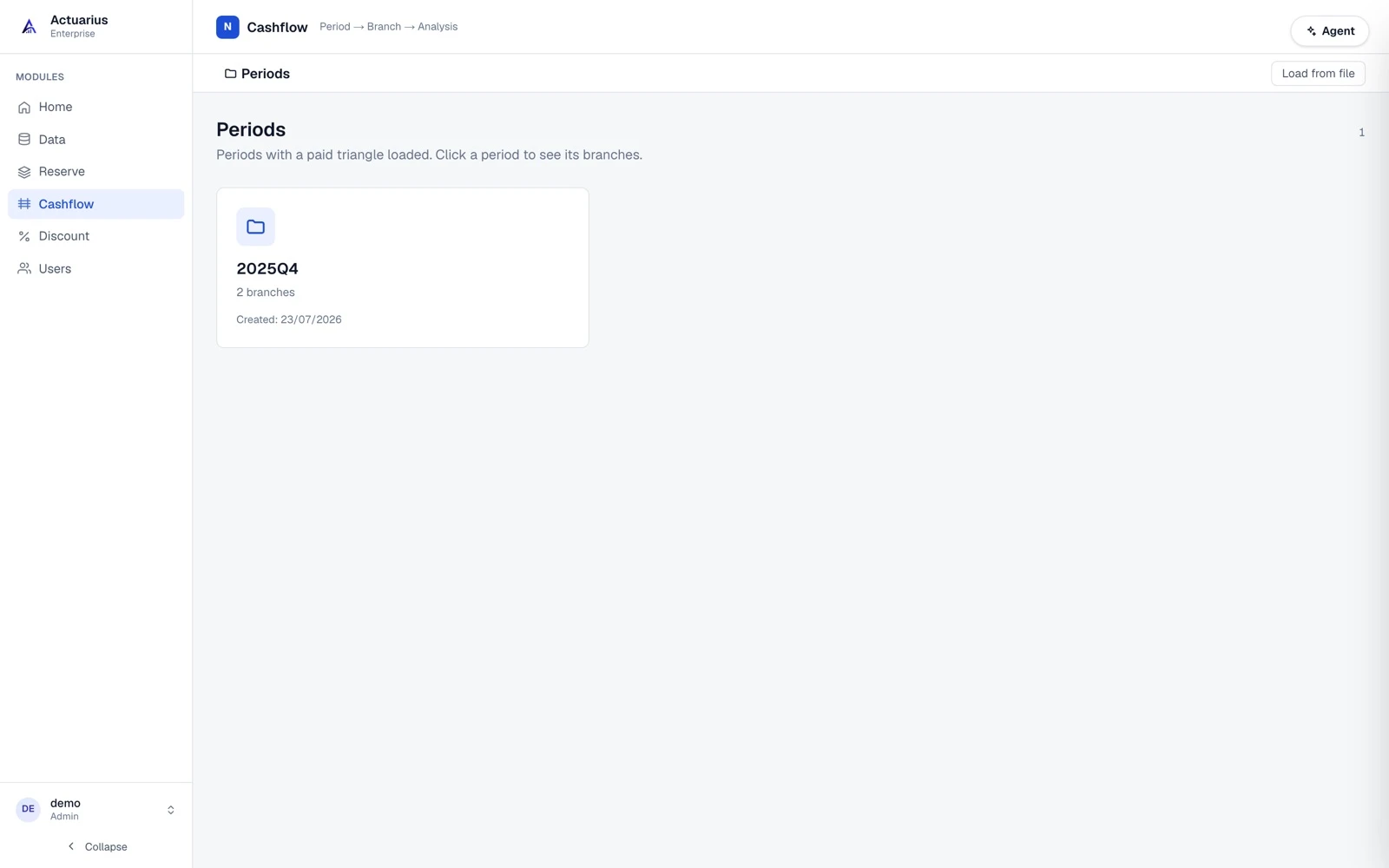
Quarterly and monthly cash flow projection from the payment pattern; stays consistent with the reserve.
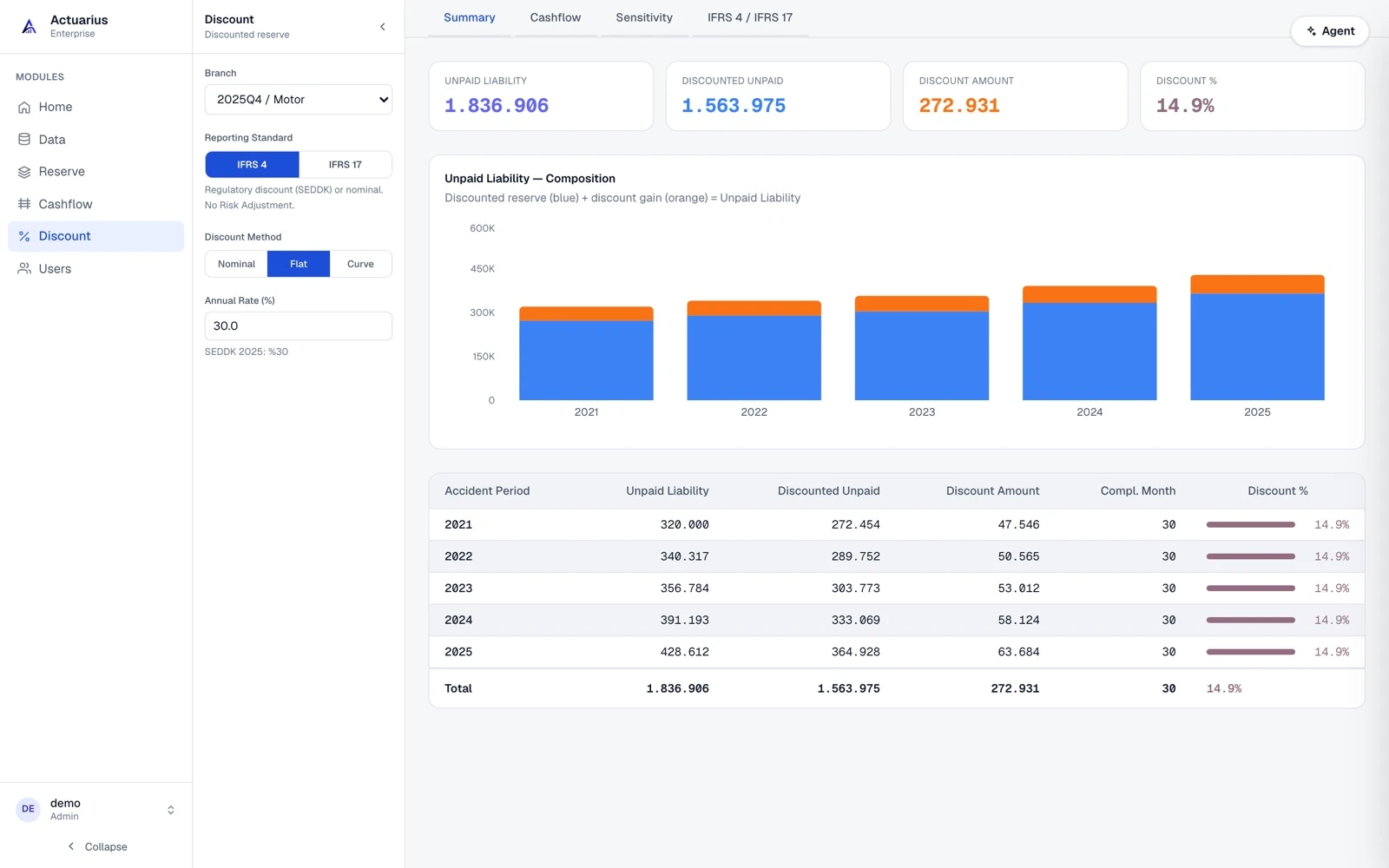
Liability discounting (LIC) with an IFRS 17 yield curve, illiquidity premium and risk adjustment.
AI Agent
The agent does more than chat: it connects the data, builds the triangle, excludes outlying link ratios, moves immature cohorts to BF, runs cash flow and discounting, and produces the report. It respects roles and model locks; every step is reversible and written to the audit trail.
Triangle, exclusions, tail, BF, scenarios, roll-forward
Pattern, LDF, exclusions, curve
State read and LIC calculation
Period listing, moving between modules
Period close
The agent can run these end to end; you approve and take over whenever you want.
Claim, premium and large-loss sets for the new period are connected.
The new diagonal is compared with what was expected; deviating cohorts are flagged.
The model is updated: exclusions, basis choice, a priori loss ratio, correction factor.
The cash flow pattern and IFRS 17 discounting are calculated.
Summary, segment breakdown and Excel output are produced; the model is locked.
Modelling and reporting
The tabs in the reserving module follow the process one to one; each step feeds the next.
Governance
Who changed what, and why, is not reconstructed afterwards — it is recorded.
Admin and user separation; module and data access follow the role.
Only one person edits a model at a time; everyone else sees it read-only.
Every write is stored with who · when · what · why.
Scenarios are kept as separate versions and compared side by side.
Pricing
Upgrade as your team and module needs grow.
Frequently asked questions
If you cannot find what you are looking for, write to us using the form below — we usually reply the same day.
It is built for reserving actuaries, actuarial managers and the teams that review model changes at insurers and reinsurers. The same model structure carries from individual use to a multi-user enterprise process.
Chain-Ladder and Bornhuetter-Ferguson are the core methods. On top of those you get the frequency-severity (average cost per claim) method, volume-weighted / simple / geometric LDF averaging, parametric tail models (exponential, inverse power, power, Weibull) and manual CDF entry.
The agent has 45 tools across four modules. It connects the data, builds the triangle, excludes outlying development ratios, moves immature accident periods onto a BF basis, derives the a priori loss ratio from mature years, runs cash flow and discounting, and produces the closing report. Every step it applies is visible in the interface, reversible and written to the audit trail.
Claim-level loss data and earned premium can be uploaded as Excel or CSV; in an enterprise setup they can be read directly from an Oracle table. If you already have a development triangle, you can import that instead.
Yes. Every write is recorded with who made it, when, and on which line of business and model. Model locking means only one person edits a model at a time; scenarios are kept as separate versions and compared side by side.
New period data is loaded, the previous model can be carried forward with roll-forward, the new diagonal is compared against expectation (Actual vs Expected), deviating cohorts are revised, cash flow and discounting are calculated, then the report is produced and the model is locked.
Yes. The discounting module discounts cash flows using a yield curve and illiquidity premium, then adds the risk adjustment to produce the liability for incurred claims (LIC). An IFRS 4 style fixed-rate and nominal approach is also supported.
The Free plan is permanently free: 1 valuation period and 1 line of business, the reserving module, Chain-Ladder and BF calculations, the AI agent and Excel export. No credit card is required.
Book a demo
Tell us how your team works today; we will go through enterprise setup, integration and pricing with you. We usually reply the same business day.